Unlocking the Full Potential of Cobblemon with the Wiki GUI Mod
If you have ever dived into the Cobblemon mod for Minecraft, you know it transforms the blocky world into a vibrant Pokemon-inspired adventure. Catching, training, and battling creatures is only half the fun — the real depth comes from understanding each species inside out. That is where the Cobblemon Wiki GUI steps in, a sleek sidemod that puts a comprehensive Pokedex right at your fingertips without ever leaving the game. Whether you are a server owner, a singleplayer enthusiast, or a curious trainer, this open-source tool written in Kotlin for Fabric and NeoForge makes looking up stats, spawns, and evolutions effortless.
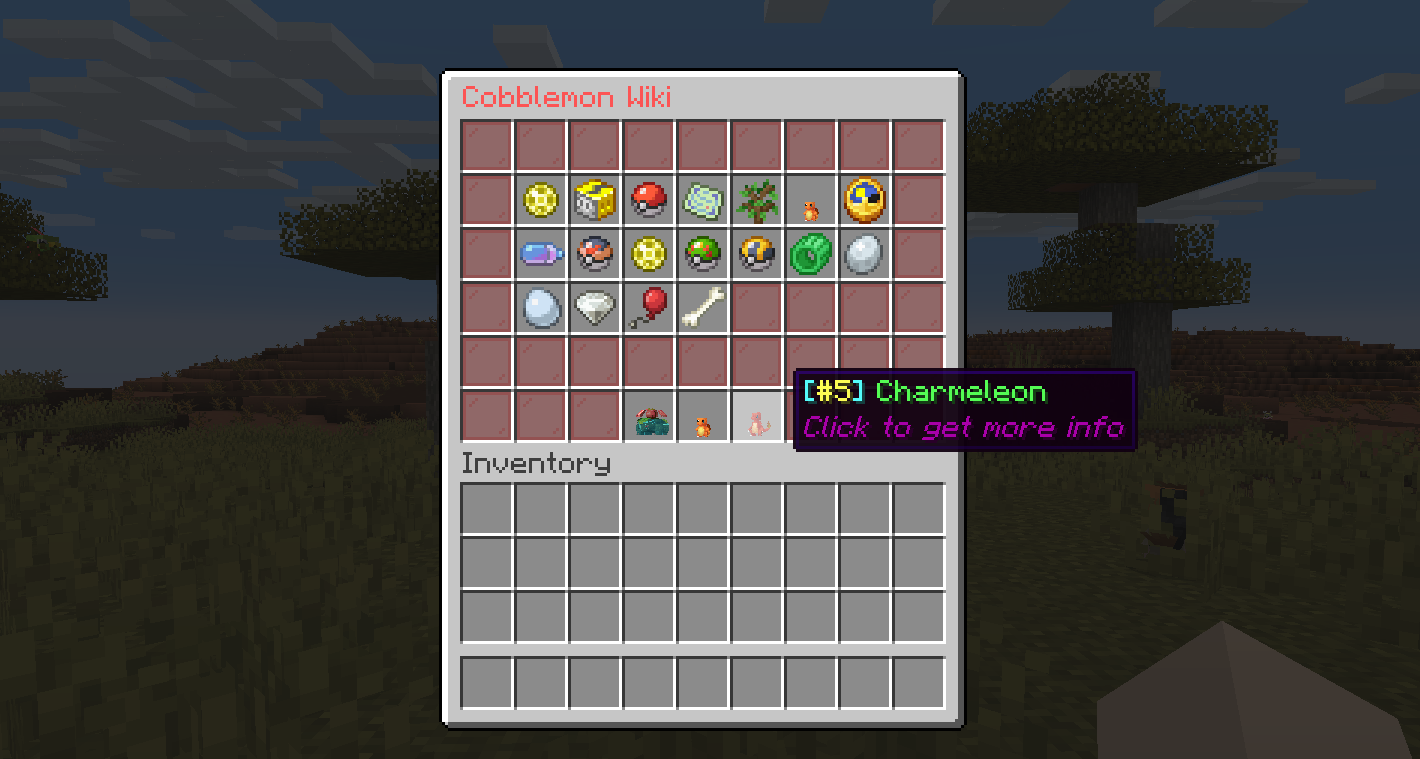
What Makes the Cobblemon Wiki GUI Essential?
Forget alt-tabbing to a browser or scribbling notes on a second screen. The mod adds an intuitive graphical interface that displays everything you need to know about any Cobblemon. The design is clean, responsive, and perfectly integrated into Minecraft’s UI, making it feel like a natural extension of the game. Server admins particularly appreciate its lightweight nature — it is strongly recommended to use this mod only on the server side or in singleplayer, ensuring no client-side clutter for players who do not need it.
Deep Dive into Features
The information panel is surprisingly thorough. With a single command or a few clicks, you can access a wealth of data that helps you plan your team, hunt specific forms, or optimize your breeding strategy. Here is exactly what the GUI reveals:
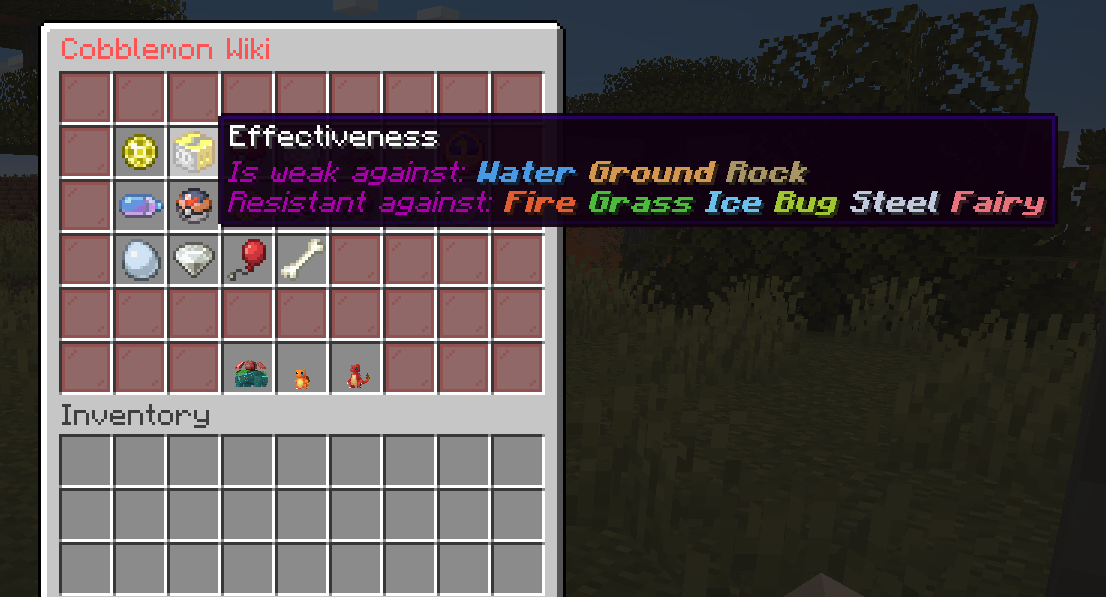
- Pokemon type and type effectiveness — know your strengths and weaknesses instantly
- Base stats — compare HP, Attack, Defense, Special Attack, Special Defense, and Speed
- Catch rate — gauge how difficult a wild encounter will be
- Abilities — including hidden abilities and their descriptions
- Biome spawns — see exactly which biomes the species appears in, with optional time-of-day filters
- Spawntime — day, night, or specific clock ranges
- Evolutions — complete evolution chains with requirements like level, friendship, held items, or move usage
- Moves — categorized by level-up, TM, tutor, egg, evolution, and form change moves
- Egg groups and forms — essential for breeders and collectors
- Dynamax compatibility and drops — including held items and loot tables
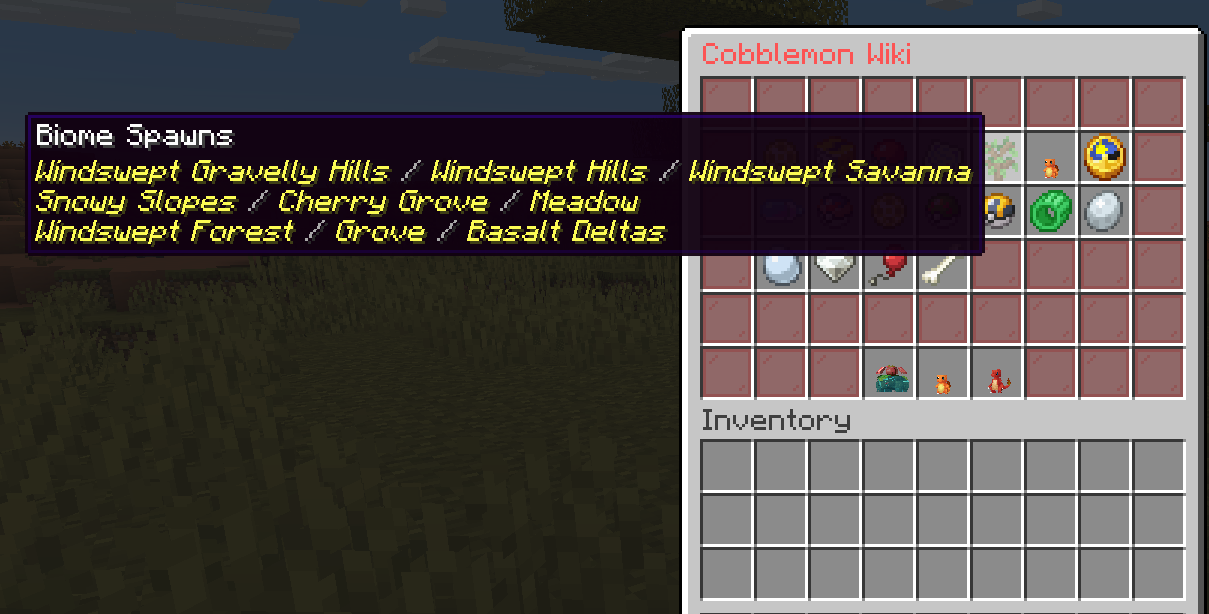
Everything is pulled directly from the Cobblemon mod’s data, so accuracy is guaranteed. The mod also supports multiple forms, so you can check stats for a Hisuian Zorua or an Alolan Vulpix with a simple command parameter. The type effectiveness chart is a particularly handy visual tool, color-coding resistances, weaknesses, and immunities in a way that even new trainers can grasp quickly.
Commands That Put You in Control
The mod revolves around a few straightforward commands that feel natural to any Minecraft player. The primary command is /pwiki <pokemon> [form], which opens the wiki for the executor. Aliases like /pokewiki, /cobblewiki, and /cwiki keep things flexible. If you want to show the information to another player — a fantastic feature for server helpers or admins — use /pwikiother <player> <pokemon> [form]. Permissions are neatly separated: cobblemon_wiki_gui.command.pwiki for self-use and cobblemon_wiki_gui.command.pwikianother for targeting others. A reload command /cwg reload lets you refresh the configuration files without restarting the server, perfect for live tweaking.
Installation and Compatibility
Getting started is a breeze. The mod supports both Fabric and NeoForge mod loaders and is built for Minecraft version 1.21.1. You simply drop the JAR file into your server’s mods folder or your singleplayer instance. It requires the base Cobblemon mod to function, of course. If you are managing multiple mods and want a streamlined experience, using a modern launcher can save a lot of hassle. For instance, the foxygame.net launcher allows you to download and install Cobblemon Wiki GUI directly from its menu, making it a convenient and flexible option for keeping your modpack organized and up to date without manual file hunting.
Customizing the Experience
The mod ships with a lang.json file inside the config/cobblemon_wiki_gui folder, giving you full control over the displayed text. You can translate every label, tooltip, and button into your server’s language or simply tweak the phrasing to match your community’s style. The default configuration covers everything from evolution requirement strings (“Need more attack than defence”) to button labels (“Click to see evolutions”). As long as you preserve the JSON structure and keys, you can reload changes instantly with /cwg reload. This level of localization makes the mod welcoming for international servers and private worlds alike.
Why Server Owners Love It
Unlike many client-side mods that demand every player install them, Cobblemon Wiki GUI is designed to run on the server. That means no extra steps for your players — they can access the full Pokedex via commands without installing anything extra. It reduces the barrier to entry and keeps the server lightweight. The mod also respects permissions, so you can restrict access to trusted ranks if you prefer. Combined with the detailed spawn information, it becomes an invaluable tool for building themed gyms, designing custom quests, or simply helping newcomers find that elusive rare spawn.
Final Thoughts
The Cobblemon Wiki GUI is more than just a convenience; it is a quality-of-life upgrade that deepens your engagement with the Cobblemon ecosystem. By bringing the entire Pokedex into the game’s interface, it eliminates distractions and keeps the focus on exploration and strategy. Whether you are breeding the perfect competitive team, hunting shinies in specific biomes, or just satisfying your curiosity about a newly caught creature, this mod delivers the information with elegance and speed. Its open-source nature under the MIT license also means the community can continue to refine it, ensuring it stays relevant through future Cobblemon updates. If you run a Cobblemon server or simply love the mod in singleplayer, adding this GUI is a no-brainer — it is the missing piece that makes the Pokemon experience feel truly complete inside Minecraft.