Free edition
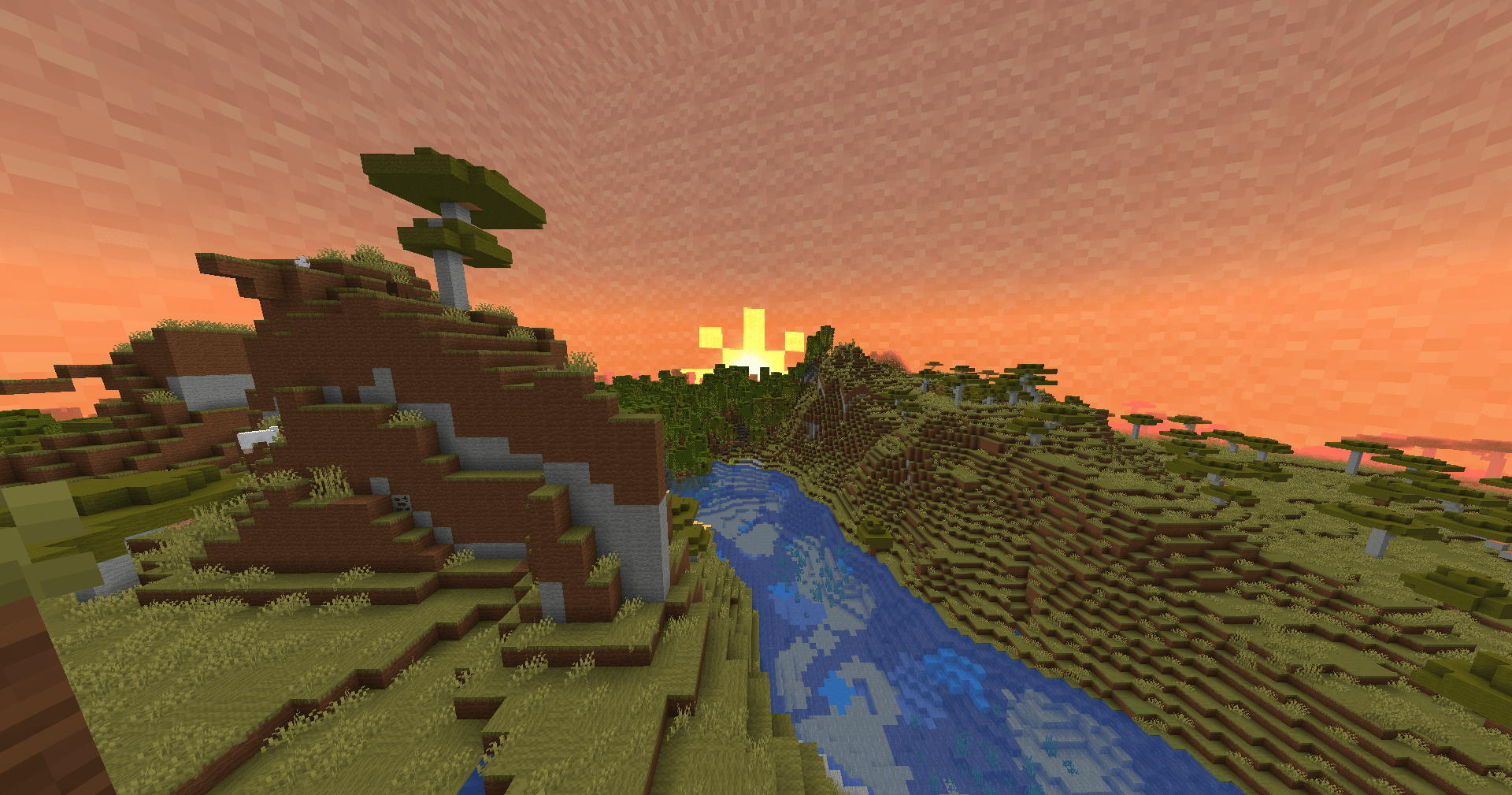
Imagine a Minecraft world where everything you see, touch, and build is made entirely of wool. The Free edition resource pack does exactly that, transforming the familiar blocky landscapes into a soft, vibrant tapestry. From the moment you load a world, you will notice that every single block—wood, stone, ores, even the sky itself—has been retextured with a woolly counterpart. It is a complete visual overhaul that feels both cozy and surreal, perfect for players who want a fresh, playful take on the game.

What Makes the Free Edition So Special?
This resource pack is not just a simple texture swap. It reimagines every single block in the game as a type of wool, carefully matching the original block's color and pattern. Stone becomes gray wool, dirt turns into brown wool, and even ores like diamond and emerald get a fuzzy makeover. The result is a world that feels both familiar and completely new. You can still recognize each block by its hue and shape, but the uniform wool texture gives everything a handcrafted, almost plush-like appearance.
The creative inventory is a rainbow of wool varieties, as shown in the preview image. Browsing through it feels like flipping through a catalog of soft furnishings. The pack also changes the sky itself—the sun, moon, and entire skybox are now made of wool, creating a dreamy, textured atmosphere. To enable this feature, you will need either OptiFine or the Fabric Skyboxes mod, depending on your preferred loader. The pack is designed for Minecraft Java Edition and works seamlessly with recent versions, though it is always wise to check compatibility with your specific game update.

How to Download Free edition and Install It
Getting started with this woolly wonder is straightforward. First, you need to download Free edition from the official mod page. Once the file is on your computer, the installation process depends on your launcher. For the vanilla Minecraft launcher, simply move the downloaded pack into your resourcepacks folder, located at C:\Users\USER\AppData\Roaming\.minecraft\resourcepacks. Then, launch the game, go to Options, select Resource Packs, and activate the pack. That is all it takes to transform your world.
If you are looking for an even simpler way to manage your add-ons, the foxygame.net launcher provides a one-click installation feature that automatically places the Free edition into the correct directory and keeps it updated alongside your other mods. This is especially handy if you frequently switch between different resource packs and want to avoid manual file management. Regardless of your chosen method, the pack is lightweight and does not affect game performance, so you can enjoy the woolly world without lag.
Supported Versions and Loaders
The Free edition for Minecraft is built for the Java Edition and is compatible with a wide range of recent releases. For the full sky experience, you will need either OptiFine (a popular performance and customization mod) or the Fabric loader with the Fabric Skyboxes mod installed. The base pack works without any additional mods, but the sky replacement feature requires one of these loaders to function. Always ensure your game version matches the pack's requirements before installing.
Exploring the Woolly World
Once activated, the transformation is immediate. The title screen greets you with a custom background and new splash texts that set the playful tone. In-game, every biome feels like a giant arts-and-crafts project. Forests are made of green and brown wool, deserts glow with sandy yellow wool, and the Nether becomes a hellscape of crimson and warped wool. Even the End dimension gets a woolly makeover, complete with a rewritten End poem that you simply must read for yourself.
The pack's attention to detail is impressive. While most blocks are purely visual replacements, interactive blocks like crafting tables and furnaces retain their functionality. The creator has mentioned that a future update may turn these into wool variants with unique textures, so they blend in even more seamlessly. For now, the contrast between the soft world and the few remaining hard-edged blocks adds a quirky charm.
Tips for the Best Experience
To fully appreciate the Free edition, try these suggestions:
- Pair it with a shader pack for extra depth—the wool textures look stunning with soft lighting.
- Play in survival mode to rediscover the joy of mining and building with familiar yet fresh blocks.
- Use it in creative mode for large-scale wool constructions that blend perfectly with the environment.
- Share your creations with friends; the pack is multiplayer-compatible as long as it is client-side only.
Frequently Asked Questions
Will this pack come to Bedrock Edition?
The creator has expressed interest in porting Free edition for Minecraft to Bedrock, but there is no set release date yet. Keep an eye on the official page for updates.
Why are some blocks not wool?
Interactive blocks like crafting tables and chests currently retain their original textures to avoid confusion. A planned version 1.1 will introduce woolly versions with distinct markings, so you can still tell them apart.
Can I use this pack in my videos?
Absolutely. You are free to use the Free edition in any content you create. Credit is appreciated but not required.
Final Thoughts
The Free edition resource pack is a delightful twist on the classic Minecraft experience. It turns the entire world into a cozy, wool-filled playground without sacrificing the core gameplay. Whether you are a builder looking for a new aesthetic or just want to see the game in a different light, this pack delivers. The installation is simple, and with support for both OptiFine and Fabric, it fits into most modded setups. Give it a try and watch your world become a giant, colorful quilt.