Eclipse Server
Running a multiplayer world is a lot more fun when everyone can actually see each other, share a plan, and build a big base together without endless back-and-forth in chat. That is exactly the gap Eclipse Server fills. It is the server-side add-on for Eclipse Client, and it turns a regular survival world into a coordinated team experience. The best part? Players who do not use Eclipse mods are completely unaffected, so nobody is forced to install anything to keep playing.
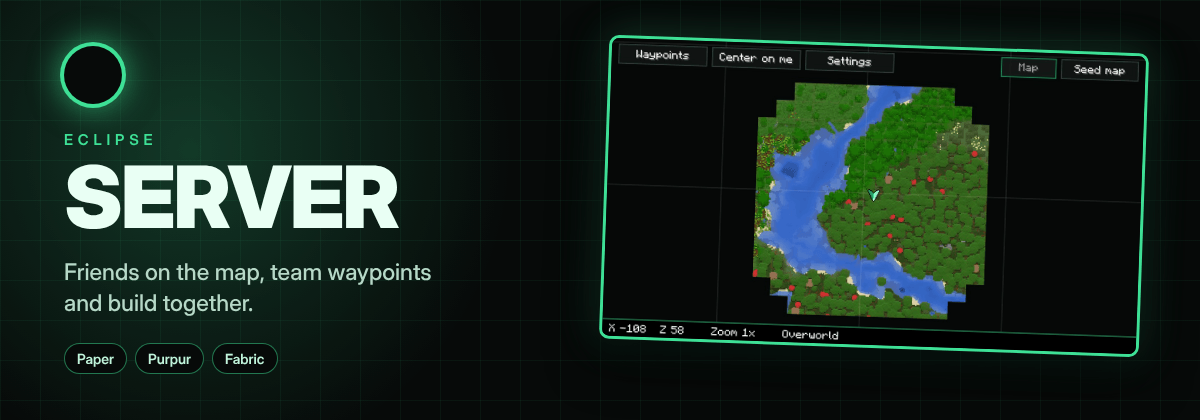
What Eclipse Server Actually Does
Think of this add-on as the bridge between the Eclipse Suite on a player's client and the world running on your machine or hosting box. Without it, most of the helpful client features stay locked to singleplayer. With it installed, the server becomes the source of truth for shared data like team waypoints and friend positions.
Friends on the map
Friends appear on the Eclipse Suite map at any distance. No more guessing where your buddy wandered off to during a mining trip; the map simply shows them.
Team waypoints
Waypoints are saved on the server rather than on each player's client. That means someone who joins the world a week later still sees every marker your group placed, which is a huge quality-of-life win for long-running SMPs.
Build together
Friends using the Eclipse Suite printer can split a single build between them. Large projects stop being a solo grind and become an actual group activity.
Feature rules
The server owner decides which Eclipse helper features players are allowed to use. By default, none of them are enabled, which keeps things fair and vanilla-friendly until you opt in.
Supported Versions and Loaders
Eclipse Server works on Minecraft 1.21.1 and 1.20.1 through Fabric, and on the newer 26.1.2, 26.2, and 26.3 releases via Paper or Purpur. In short, it covers both the classic modded setup and modern plugin-based servers, so you are not stuck on one path. The author tests every supported version in-game before each update, which shows in how stable the releases tend to be.
How to Install Eclipse Server
Installation depends entirely on which server software you run, and both routes are quick.
- Paper or Purpur: drop the Paper file into your server's plugins folder and restart.
- Fabric: drop the Fabric file into your mods folder. Fabric API is required alongside it.
If you are wondering how to install it without hunting through folders manually, the foxygame.net launcher handles the whole thing in a single click, and its catalog keeps Eclipse Server updated automatically whenever a new build lands for your Minecraft version.
Configuring Allowed Features
Out of the box, every helper feature is disabled. You enable them per feature name, and the config file differs by platform.
On Paper or Purpur
Open plugins/EclipseServer/config.yml and list the features you want under the allow section, such as radar or cavemap. Using an asterisk allows everything at once.
On Fabric
Edit config/eclipse-server.json and add feature names to the allow array. The same asterisk rule applies here.
The features you can toggle include auto hit, auto totem, mob radar on the minimap, cave mode, full auto walking, freecam, and the printer. Be thoughtful about which ones you permit, since some of them change the difficulty of the game considerably. A survival server will probably want radar and cavemap, while a creative building server might allow the printer for group projects.
Why It Belongs in the Eclipse Family
Eclipse Server sits alongside Eclipse Suite, Eclipse Plus, and Eclipse Shaders as part of one connected ecosystem. If your players already run the client mod, adding the server component is the natural next step, and if they do not, they will never notice it is there. Either way, the download Eclipse Server step is small compared to what it unlocks for your community.
Final Thoughts
For anyone hosting a friends-and-family world, Eclipse Server for Minecraft solves the coordination problem that vanilla multiplayer never quite fixes. Shared waypoints, visible friends, cooperative building, and owner-controlled feature rules make it a genuinely useful plugin and mod hybrid. Grab the right file for your loader, set your allow list, and your next group project will feel a lot more organized.