Glamurous View: Transform Your Minecraft World with Organic Textures and Immersive Visuals
Minecraft has always been a canvas for creativity, but sometimes the default visuals can feel a little flat after thousands of hours of play. That is where resource packs like Glamurous View step in, offering a complete visual overhaul that makes every block, mob, and flower feel alive. Instead of just sharpening pixels, this pack introduces organic shapes, countless variations, and a sense of depth that turns your world into a living painting.
What Exactly Is Glamurous View?
Glamurous View is a resource pack built for players who want their Minecraft to feel more immersive without straying too far from the vanilla spirit. It reworks textures, models, and even graphical user interfaces to create a cohesive, nature-rich aesthetic. The pack does not just replace a few textures; it introduces randomization, connected block textures, and subtle model tweaks that make gardens, forests, and even underground caves feel more dynamic.
One of the most impressive aspects is how it handles variety. Instead of seeing the same zombie or the same dandelion everywhere, you encounter multiple versions that blend naturally into the environment. This small change alone makes exploration feel fresh again, as if every chunk holds a tiny surprise.
Key Features That Redefine Minecraft Visuals
The pack touches almost every visual element of the game. Here is a breakdown of what you can expect after installation.
Connected Block Textures and Polished Stonework
Gone are the days of harsh grid lines on glass, sandstone, or polished stone blocks. Glamurous View enables connected textures for materials like polished andesite, diorite, granite, smooth stone, logs, stripped logs, and even ore blocks such as emerald, netherite, diamond, gold, iron, and lapis. This creates seamless surfaces that make builds look far more professional and natural.
Randomized Mob and Creature Textures
The variety in mobs is staggering. You will find multiple zombie variants, creepers with distinct patterns, spiders that differ in hue, and even endermen that break the monotony. The pack includes:
- 4 new zombie textures
- 5 creeper variations
- 4 spider designs
- 1 alternate enderman
- 4 skeleton appearances
- 2 slime looks
Friendly creatures also get the treatment. Iron golems, pigs, cows, sheep, chickens, bats, dolphins, turtles, and wolves all receive fresh coats of paint and subtle model changes. Spotting a uniquely patterned cow or a wolf with a slightly different fur shade makes your farm feel like a real ecosystem.
Flowers, Plants, and Crops Come Alive
This is where the pack truly earns its name. Almost every plant is remodeled with Y-axis rotation and multiple variants. Tulips alone boast 16 different appearances, while allium, azure bluet, blue orchid, cornflower, dandelion, oxeye daisy, poppy, and even mushrooms receive generous randomization. Leaves on trees become bushier and more three-dimensional, and vines hang with a new sense of weight. Crops and garden plants no longer look like flat cross-sprites; they now have a nearly 3D presence that sways with the wind in your mind.
Specific plant counts include 16 allium variations, 12 azure bluet, 8 blue orchid, 16 brown mushroom, 12 crimson fungus, 20 dandelion, and many more. Even the humble cactus gets a refreshed model, and large ferns, lilacs, peonies, rose bushes, and sunflowers feel grander than ever.
Redesigned GUIs and HUD
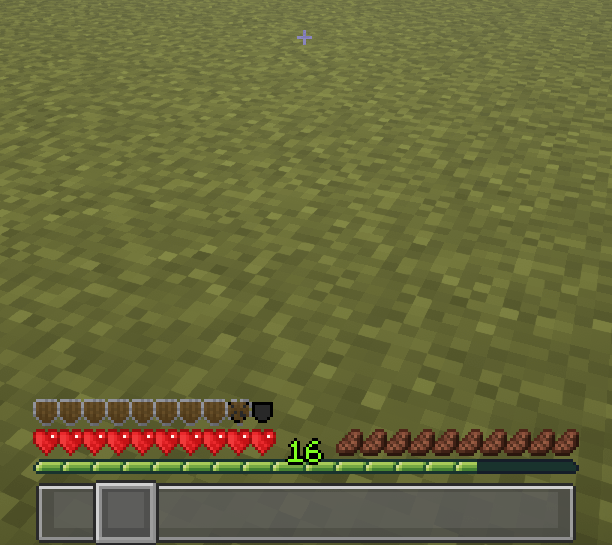
Visual immersion does not stop when you open your inventory. Glamurous View overhauls nearly every interface you interact with daily. The recipe book, anvil, beacon, blast furnace, brewing stand, cartography table, chest, crafting table, dispenser, enchanting table, ender chest, furnace, grindstone, hopper, inventory screen, loom, shulker box (with colored variants), smithing table, smoker, stonecutter, and villager trading menu all receive clean, modernized designs. The heads-up display also gets a subtle but effective redesign, making health, hunger, and armor bars feel more integrated into the world.
Block and Terrain Texture Variations
Beyond connected textures, many blocks now feature alternative models. Bookshelves come in nine different looks, bricks in nine variations, iron bars are remodeled for a more refined cage appearance, and ladders look sturdier and more realistic. These small changes add up, making even simple houses feel custom-built.
Optifine Settings You Need to Enable
To unlock the full potential of Glamurous View, Optifine is required for several features. After installing Optifine, head into video settings and make sure the following are turned on:
- Details Settings: Alternate Blocks set to ON
- Quality Settings: Connected Fonts ON, Custom Entity Models ON, Random Entities ON, Custom Items ON, Custom GUIs ON
Without these toggles, some randomized textures and connected blocks will not display, and the experience will feel incomplete. The pack author is continuously adding more variations and redesigned elements, so keeping Optifine updated ensures you always see the latest work.
How to Get Started
Downloading and applying a resource pack manually can sometimes be a chore, especially if you juggle multiple mods. For a smooth setup, many players turn to modern launchers that simplify the process. This resource pack can be easily installed via the foxygame.net launcher, a convenient, flexible, and modern Minecraft launcher where you can download mods right from the menu. Instead of digging through folders, you just search for Glamurous View, click install, and the launcher handles the rest while keeping your game version compatible.
If you prefer the manual route, simply place the downloaded pack file into your resourcepacks folder and activate it from the in-game menu, ensuring Optifine is already loaded.
Conclusion
Glamurous View does more than just sharpen textures; it injects life into every corner of your Minecraft world. From the subtle sway of a flower to the varied faces of hostile mobs, the pack turns static blocks into a vibrant, organic environment. The sheer number of variations means no two play sessions will look exactly the same, and the redesigned GUIs keep the interface feeling fresh without sacrificing functionality. Whether you are a builder, an explorer, or someone who simply wants to fall in love with Minecraft all over again, this resource pack offers a unique experience that is hard to match. Give your world the glamour it deserves, and watch the ordinary become extraordinary.