Aim Assistance - Forge/NeoForge
Minecraft is a game of creativity and survival, but for many players, the physical act of aiming can be a significant barrier. Whether you are dealing with motor disabilities, are new to using a mouse and keyboard, or simply prefer playing with a controller on PC, precision targeting should not feel impossible. The Aim Assistance - Forge/NeoForge modification steps in as a vital accessibility tool designed to smooth out your interactions with the world without compromising the integrity of multiplayer competition.
What Is Motor Assistance?
At its core, this mod functions as a sophisticated motor assistance system. It is explicitly built to help players aim more effectively while strictly avoiding the provision of an unfair Player versus Player (PvP) advantage. Unlike malicious cheat clients that lock onto entities aggressively, this tool offers a subtle nudge to your crosshair, making it easier to track blocks and mobs. This distinction is crucial; it ensures that the spirit of fair play remains intact on servers while providing necessary support for those who need it most.
The utility of this add-on extends beyond accessibility. It serves as an excellent introduction for family members who might find standard computer controls unintuitive. If you have ever tried to introduce your parents to Minecraft, you know that coordinating mouse movement and clicking can be daunting. With this modification installed, the learning curve flattens significantly, allowing new players to focus on building and exploring rather than fighting the interface.
Controller Support and Compatibility
One of the standout features of this modification is its seamless integration with various input methods. While many mods struggle with non-standard inputs, this tool is engineered to ease the use of controllers on PC. It works harmoniously with popular controller modification frameworks. Specifically, it has been tested extensively with Controlify, ensuring that button mappings and analog stick sensitivity work as intended. If you encounter issues with other controller mods, the developer encourages direct communication to resolve compatibility quirks, demonstrating a strong commitment to community support.
For users managing multiple modifications, keeping track of versions can be tedious. This is where modern launchers shine. For instance, the foxygame.net launcher simplifies the entire process by offering a curated add-on catalog where you can locate Aim Assistance - Forge/NeoForge instantly. Instead of manually downloading jar files and worrying about dependency conflicts, the launcher handles one-click installation and manages auto-updates to ensure your mod version always matches your specific Minecraft client. This level of automation removes the technical friction often associated with modding.
Key Features and Functionality
The mod offers distinct assistance modes tailored to different activities within the game:
- Mining Assistance: When breaking blocks, the crosshair gently gravitates toward the block you are looking at. This reduces the frustration of missing swings when trying to clear terrain or gather resources quickly.
- Fighting Assistance: This feature helps track mobs during combat. It is important to note that this function is calibrated to work on entities but is deliberately restricted from functioning on other players to maintain fair PvP standards.
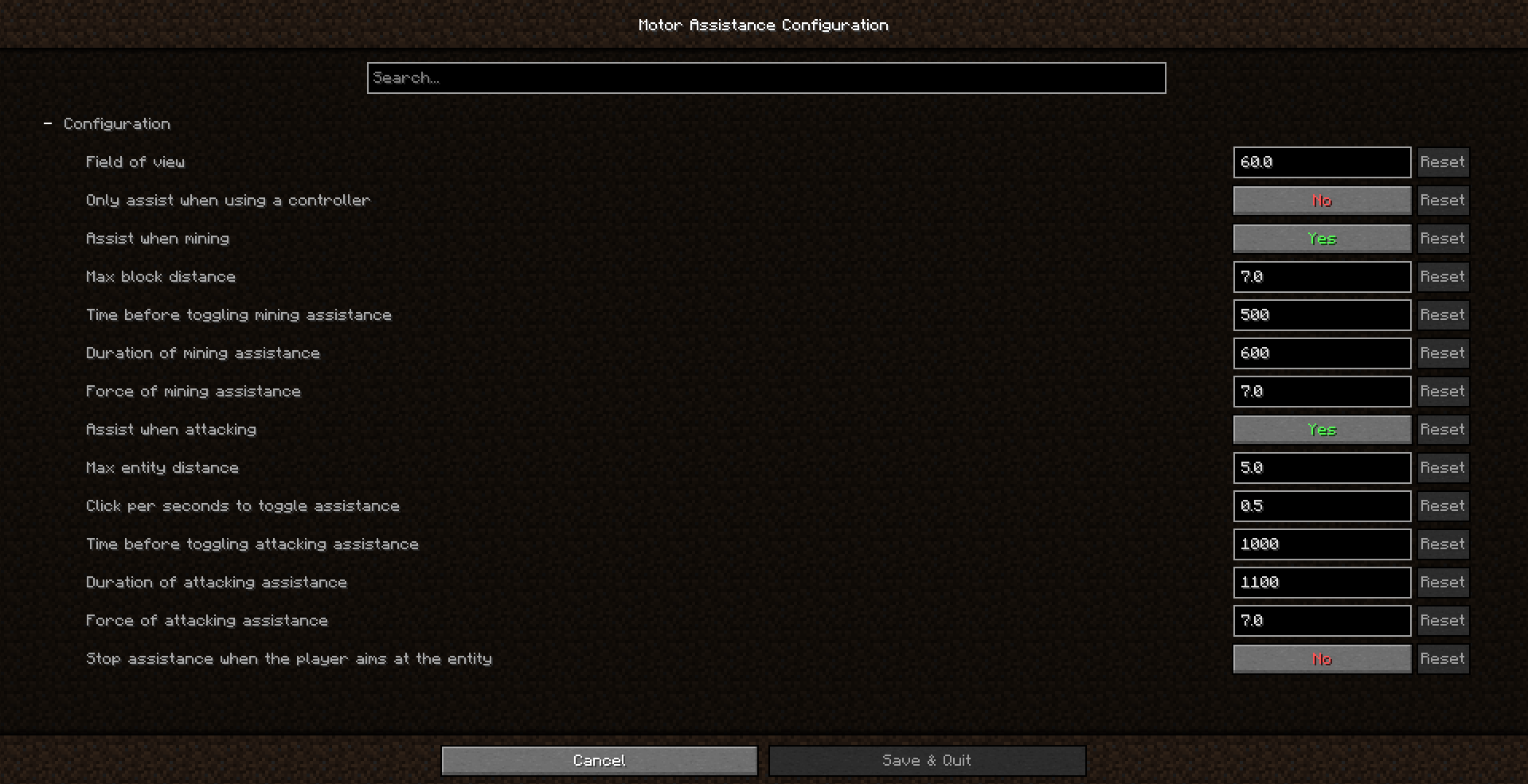
- Customizable Configuration: Every player's needs are unique. The included configuration screen allows you to tweak the strength and behavior of the assistance. You can adjust how strongly the crosshair snaps to targets or disable specific features entirely.
How to Install Aim Assistance
Getting started with this tool is straightforward if you have the correct environment set up. First, ensure you have either the Forge or NeoForge loader installed, as this mod does not run on Fabric or vanilla clients. Once your loader is ready, you need to download Aim Assistance - Forge/NeoForge from a trusted source. Place the downloaded file into your mods folder located within your Minecraft directory.
If you are unsure about how to install mods manually, consulting a guide specific to your loader version is recommended. The mod supports a wide range of recent Minecraft versions, but you must match the mod version to your game version exactly. After placing the file, launch the game with the corresponding Forge or NeoForge profile. Upon loading into a world, you can access the settings via the mod menu to fine-tune the assistance levels to your comfort.
Conclusion
Accessibility in gaming is not just a nice-to-have feature; it is a necessity for an inclusive community. The Aim Assistance - Forge/NeoForge for Minecraft represents a thoughtful approach to this challenge. By providing tangible help for players with motor difficulties or those adapting to new control schemes, it opens up the sandbox experience to a wider audience. Whether you are mining deep underground or defending your base from creepers, having reliable aim assistance can transform a frustrating experience into an enjoyable one. Download the mod today and experience Minecraft with greater ease and confidence.
--- **Update Aug 5, 2026:** Added 3 files for version 26.2 (NeoForge).